MARATEA INFO APPLICATIONS
iPhone / iPad
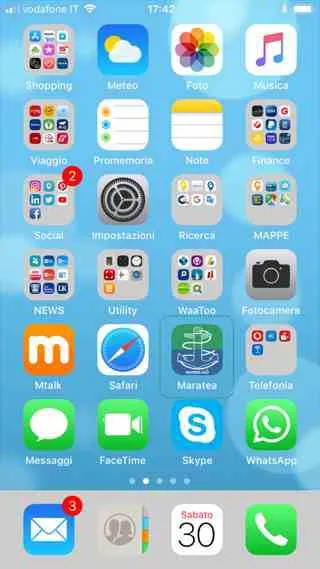
To insert the Maratea Guide on the home screen of your Iphone, follow these simple instructions.
Open Safari

and go to www.maratea.info
Pressed the Share button

in the toolbar Add to Home (at the top of the screen on the iPad and at the bottom on the iPhone or iPod Touch)

If requested, assign the name Maratea Guide or simply Maratea before touching the Add button
.
Done!
The icon can then be dragged and/or moved to where you want, even inside an APP folder.
To remove it, follow the same steps as for any other app: press and hold the icon, then tap the “x” in its top-left corner.
The website www.maratea.info is updated by the volunteers of ALTRITURISMI.it
MAKE A DONATION
- To stay updated on the activities of AltriTurismi ETS -> Subscribe to the newsletter
FREE APP
Maratea.info is a responsive website that adapts to your screen, making it easy to browse on computers, tablets and smartphones.
For this reason, but also to minimize the use of space on your phone, we have chosen not to create another app, but to show you how to have www.maratea.info as an app on the home screen of your Iphone, Samsung, Huawei, or other device without having to open the internet browser.
If you haven't already, here are the simple instructions for the two types of smartphones:
The website www.maratea.info is updated by the volunteers of ALTRITURISMI.it
MAKE A DONATION
- To stay updated on the activities of AltriTurismi ETS -> Subscribe to the newsletter
ANDROID
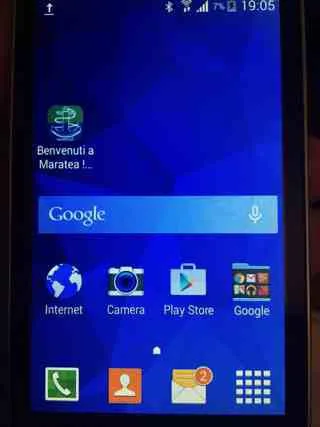
Here's how to add Maratea.info to your Samsung, Huawei, or other Android smartphone home screen:
Start Internet

or Chrome

from the initial screen and open the site www.maratea.info
Press the Menu button

(usually at the top right) and then Add link to Home .
If required, type the name Maratea Guide or just Maratea, as you prefer.
The icon, like any other APP, can be moved wherever you want.
Done!
Like for the other APPs, Maratea Guide can also be removed by holding down on the icon and dragging it up to the trash (Remove).